
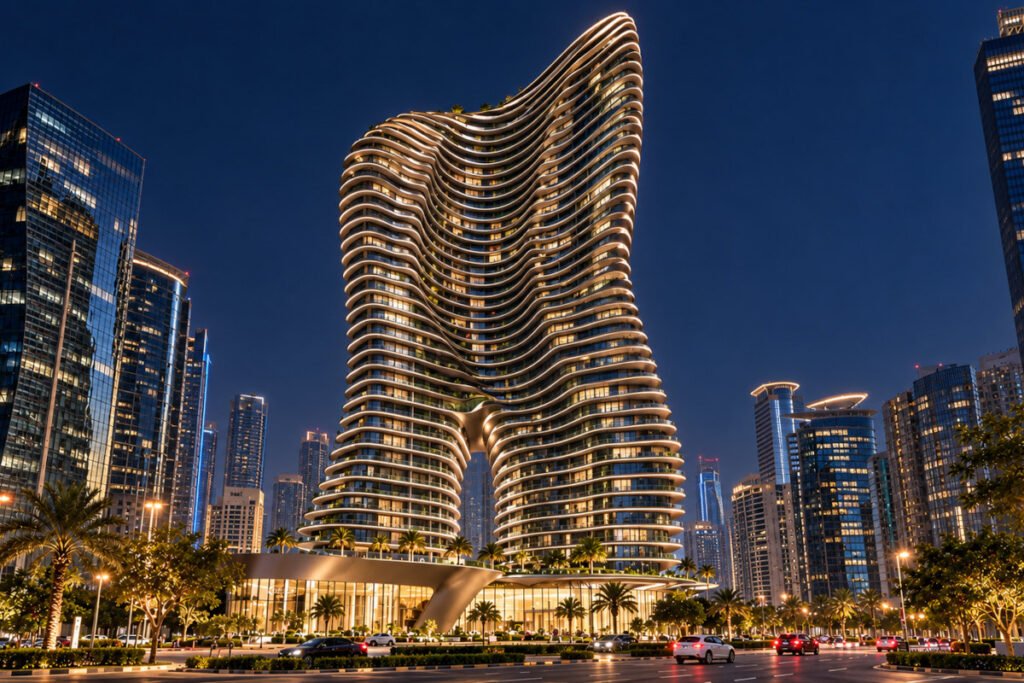
INTERNATIONAL REAL ESTATE & HOSPITALITY
Exceptional properties. Remarkable stays.
Discover distinctive homes, new developments and hotels worth travelling for. Explore the neighbourhood, connect with listing professionals and see a property’s potential with AI.
THE PREMIER POSSIBLE EXPERIENCE
Your next chapter starts with a place.
A home to make your own. A city to discover. A stay worth travelling for. Premier Possible brings upscale real estate and distinctive hospitality together, with richer property information and a direct connection to the people behind each listing.
INTERNATIONAL PERSPECTIVE. PERSONAL POSSIBILITIES.
01 / HOMES
Find a place that feels like you.
↗
Explore villas, apartments and distinctive residences for sale, rent or lease, from city addresses to private retreats.
02 / STAYS
Make room for a remarkable escape.
↗
Find hotels and resorts by setting, character and amenities. Explore nearby places and compare the details that matter for your next stay.
03 / NEW DEVELOPMENTS
Explore what comes next.
↗
Discover new residential projects and emerging addresses, and speak directly with the professionals behind them.
EXCEPTIONAL IS PERSONAL
A place that feels like you.
A private retreat. A new city address. A stay worth travelling for. Discover the possibilities.
AI PROPERTY REDESIGN
See what a space could become.
Compare an original listing photo with an AI-generated concept. On enabled real estate listings, explore new interior styles, outdoor settings and seasonal ideas using photos approved by the professional.
ORIGINAL PHOTOGRAPH
AI-GENERATED CONCEPT


Drag the handle or tap across the image to compare. On enabled listings, select “Redesign this property” to explore approved photos and create your own AI concepts.
PROPERTY TECHNOLOGY. HUMAN CONNECTIONS.
More context. Better connections.
Thoughtful tools help you move from inspiration to a more informed conversation.
01
Map your possibilities
Explore nearby places and compare walkability, driving convenience and access to public transport.
02
See the details that matter
Compare specifications, galleries, floor plans and features in one place.
03
Connect
Ask the AI listing assistant where enabled, or contact the professional through the listing’s enquiry and messaging options.
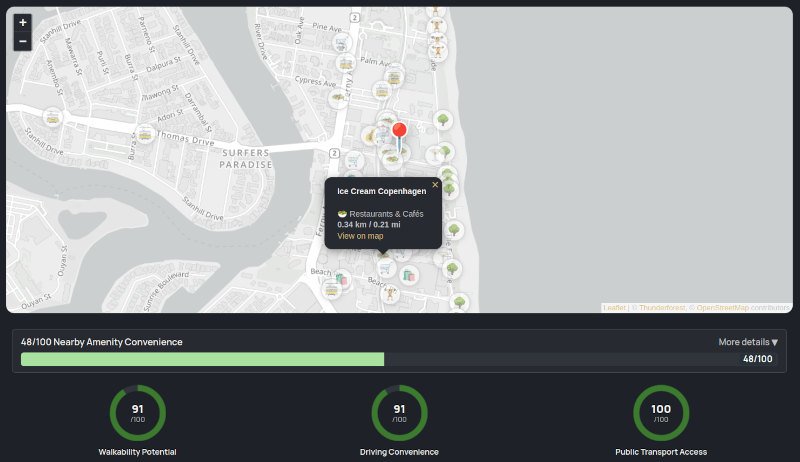
Preview from a property listing.
AMENITIES, AT A GLANCE
See what surrounds your next address.
Find schools, hospitals, shopping malls, groceries, restaurants, cafés, bars and more around a listing. Open the amenities widget for nearby places and distances, then explore their markers on the map.
- Walkability Potential
- Driving Convenience
- Public Transport Access
Compare local access on foot, by car and via nearby transport stops. Scores are estimates based on available map data.
FOR REAL ESTATE & HOSPITALITY PROFESSIONALS
Your listings. A smarter advantage.
Showcase your portfolio with a professional profile, structured listings and AI tools for content, marketing and visitor engagement. Keep enquiries direct and choose which visitor AI features your listings offer.
Free property listings. 500 welcome credits for eligible professional accounts, valid for 30 days. Optional AI and promotional features use credits.
01 / AI CONTENT
Write with confidence
Draft clear property descriptions, then use the AI Listing Scanner to review gaps before you publish.
02 / IMAGE ENHANCEMENT
Present every space clearly
Refine listing photography with guided enhancement presets and before-and-after review.
03 / MARKETING & SOCIAL
Take your listing further
Generate marketing plans, social captions and branded images from one workspace.
04 / LISTING IMPORT
Get a head start
Import information from an existing listing page, then review and refine it before publishing.
BUILT TO BE UNDERSTOOD
Rich, structured property data helps search engines understand the details of your listings.
INSIGHTS BY PREMIER POSSIBLE
Stay ahead of what’s next.


REAL ESTATE EVENTS
Where the industry meets.
Connect with the people shaping real estate, investment and property technology at upcoming industry events.
BEFORE YOU GET STARTED
A clearer view of your next move.
Practical answers for buyers, renters, travellers and the professionals who list with us.
Is it free to list a property?
Yes. Property listings are free. Create a professional account to showcase your portfolio and receive enquiries directly. Optional AI tools, profile verification and promotional features use Premier Credits, so you can choose which extras to use.
What can I spend the 500 free credits on?
Eligible professional accounts receive 500 welcome credits to try tools such as AI listing descriptions, photo enhancement, Listing Scanner and marketing plans. Credits can also cover enabled visitor chatbot replies and generated redesign images on your listings. The welcome credits are valid for 30 days, and usage varies by tool.
Do I need an account to browse or save properties?
You can browse listings and explore the available neighbourhood information without an account. Create a visitor account to save favourites and keep your platform conversations in one place, ready to return to as your plans take shape.
How do I contact the person behind a listing?
Open the listing and use the contact options provided by its professional, such as the enquiry form, phone, email or messaging links. For hotels and resorts, contact the property through its listed channels to confirm availability, rates and booking arrangements.
Who pays when I use a listing's AI tools?
Where enabled, the listing professional’s credits cover billable AI assistant replies and generated redesign images. As a visitor, you do not need to buy credits for these listing tools. Availability depends on the professional’s settings, credit balance and usage limits. Redesign is available on eligible real estate listings.
What do the location scores tell me?
The scores estimate access to everyday places on foot, by car and by public transport, using available map data. Explore the amenities map to see nearby schools, shops, hospitals and leisure spots, then compare what matters to your routine. Map coverage can vary; check current travel conditions and transport services separately.
EXPLORE. CONNECT. MAKE IT POSSIBLE.